

Your accounting software worked fine at ten customers. At a few hundred, you're exporting spreadsheets between four apps, stock counts never match the books, and every month end starts with an argument about which number is right. That's usually the moment someone asks, "Should we move to Odoo?"
This guide compares Odoo vs QuickBooks honestly. One is a dedicated cloud accounting tool. The other is a modular ERP that treats accounting as one app among many. We'll cover inventory, manufacturing, multiple companies, migration and the real trade offs, so you can decide with facts. If you want expert help on either platform, our Odoo accounting services and QuickBooks accounting services teams work in both every day.
Odoo vs QuickBooks: Accounting Tool or All in One Business Engine?
QuickBooks is a standalone accounting tool built for fast setup, invoicing, bank feeds and wide accountant adoption. Odoo is a modular, open source ERP that links accounting with CRM, inventory, purchasing, manufacturing and HR in one database. QuickBooks suits simple operations, while Odoo suits businesses whose operations outgrow bookkeeping alone.
The ERP vs accounting software question is really about where your pain sits. If the pain is bookkeeping, QuickBooks is hard to beat. If the pain is that sales, stock, purchasing and finance all live in different places, an ERP like Odoo attacks the root cause.
| Area | QuickBooks Online or Enterprise | Odoo Enterprise | Why It Matters |
|---|---|---|---|
| System type | Standalone accounting software | Integrated ERP with many apps | One database or several tools |
| Core scope | Ledger, receivables, payables, bank feeds, payroll | Accounting, CRM, inventory, manufacturing, HR | Odoo covers more departments |
| Inventory depth | Basic stock on higher plans | Multiple warehouses, lot and serial tracking | Matters for stock heavy firms |
| Manufacturing | Limited, needs add on software | Bill of Materials, work orders, shop floor control | Production costs post to the ledger |
| Multiple companies | Separate subscription per company | Native multi company and consolidation | Group reporting is simpler in Odoo |
| Accountant ecosystem | Standard among US CPAs | Growing partner and developer network | Finding help is easier for QuickBooks |
Notice what the table doesn't say. It doesn't say Odoo is better. It says Odoo is broader. Those are different things, and plenty of companies pay for breadth they never use.
How Do Inventory and Manufacturing Compare in Odoo and QuickBooks?
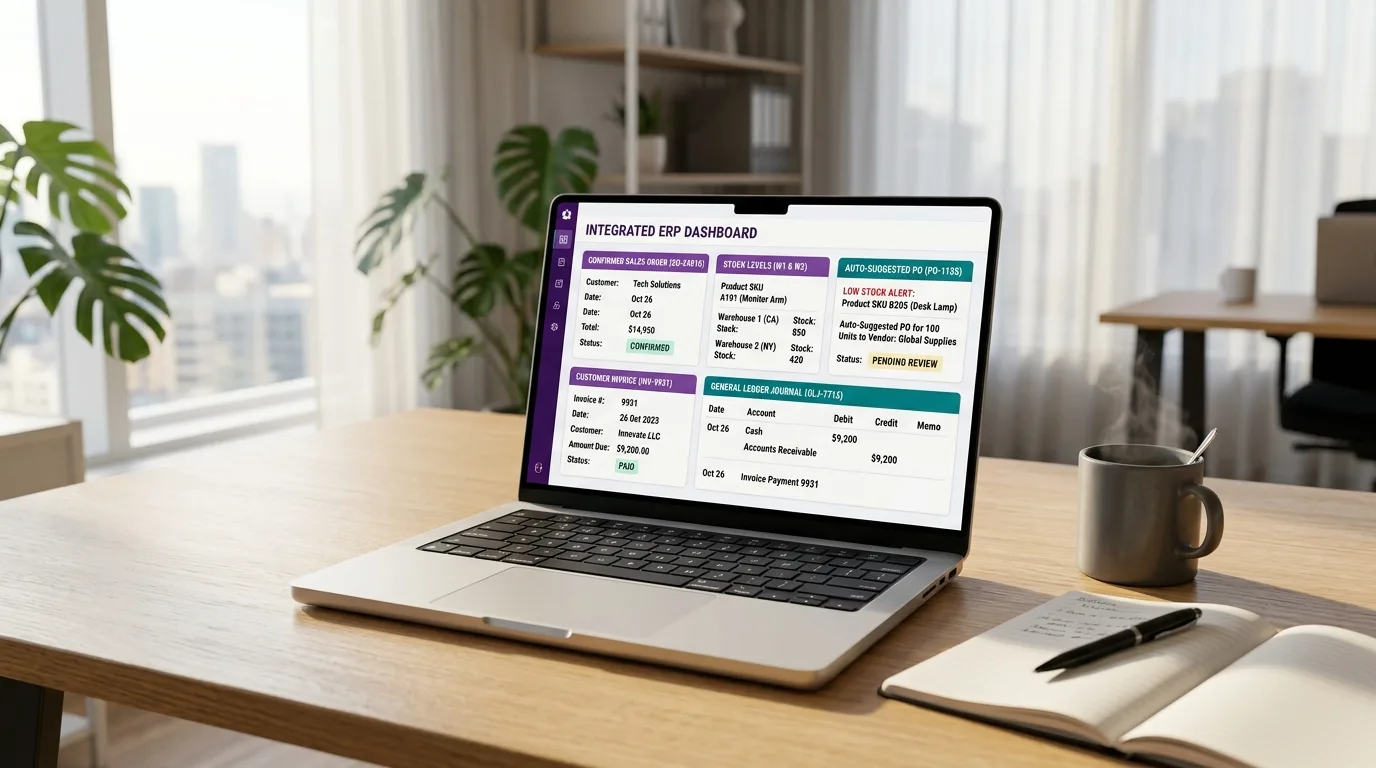
QuickBooks relies on outside software for complex inventory or production, while Odoo records sales orders, purchase orders, stock moves and production costs directly in the general ledger. When an order is confirmed in Odoo, stock, purchasing, invoicing and accounting all update together without bridges between separate apps.
Here is how growth usually plays out in QuickBooks. You add a CRM for sales, an inventory tool for stock, a bill payment app for suppliers and a shipping tool for fulfilment. Each one syncs to the ledger through a connector. Each connector is a place where totals can drift, and someone has to notice when they do.
Odoo inventory management works differently because there is only one database. Confirm a sales order and the system reserves stock, suggests a purchase order if you're short, raises the invoice and posts the journal. Nothing is exported or imported. For firms moving into production, Odoo manufacturing adds Bills of Materials and work orders that feed cost of goods straight into accounting.
If production is your main pain, dedicated manufacturing accounting software and MRP tools that sit on top of QuickBooks can help streamline bill of materials and work orders.
What Does Odoo Accounting Do Well, and Where Does It Fall Short?
Odoo accounting offers bank synchronisation, automated invoicing, multi currency, analytic accounting and native multi company consolidation, all linked to operations. Its weaker areas are a smaller accountant network, country dependent payroll and sales tax coverage, and the need for a careful implementation. It rewards planning and punishes rushed setups.
Odoo accounting works best when the whole business lives in Odoo. Analytic accounts let you tag costs by project, department or product line, and the ledger always matches stock because both come from the same transaction. Companies with several legal entities also like that consolidation is built in instead of bolted on.
Now the honest part. Payroll depends on the country, and many US companies connect an outside provider. Sales tax in the US usually needs a connected tax engine. Fewer accountants know Odoo, so your year end process may involve a second conversation. And a good implementation takes weeks to months, not an afternoon.
How Does Multi Company Accounting Work in Each Platform?
QuickBooks Online needs a separate subscription and file for each legal entity, so consolidation usually happens in spreadsheets or add on tools. Odoo supports several companies inside one database, with intercompany transactions and consolidated reporting. That difference alone pushes many group structures towards an ERP once entities start trading with each other.
Picture a holding company with three subsidiaries in two countries. In QuickBooks that means three files, three logins and a spreadsheet to consolidate. Intercompany loans are entered twice, once in each file, and eliminating them at group level is a manual job that somebody forgets in a busy month.
In Odoo, each company keeps its own chart of accounts and tax setup, yet you switch between them with one login and report across all of them. Intercompany sales can generate the matching purchase automatically. The catch is that setup has to be right from the start, because a poorly planned company structure is painful to change later. Cred Books accountants spend a lot of time here, building the company structure, the intercompany accounts and the elimination entries that group reporting depends on, whether the entities sit in Odoo or in separate QuickBooks files.
Where Does QuickBooks Still Win?
QuickBooks still wins on speed of setup, ease of use, accountant familiarity and a large app marketplace. Most small businesses can be fully running within days. Growing firms that need more can move up to QuickBooks Enterprise, which supports larger teams and more advanced inventory, though it remains accounting software rather than a full ERP.
QuickBooks is easy to learn. Your bookkeeper probably knows it, your CPA definitely does, and nearly every business app on earth has a connector for it. For service firms, small retailers and simple distributors, that ecosystem is worth more than any ERP feature list. If you're newer to it, our explainer on how does QuickBooks Online work walks through the daily workflow.
QuickBooks Enterprise deserves a mention when you're searching for QuickBooks alternatives. It supports bigger teams and deeper inventory than the online editions. It's a sensible step for firms that have outgrown Online but aren't ready for an ERP project.
How Do the Pricing Models Compare as Teams Scale?
QuickBooks Online pricing rises as you cross user limits, because lower plans cap how many people can log in. Odoo charges per user with access to every app, so cost depends on headcount rather than feature tiers. Odoo suits companies with many operational users, while QuickBooks suits teams of a few finance staff.
The shape of the bill matters more than any single number. With QuickBooks you pay for a plan, then add apps for CRM, inventory, payments and reporting. With Odoo you pay per user, and every app is included. Ten finance users and two warehouse staff feel very different in each model.
Don't forget implementation. Odoo usually needs a partner to configure it, migrate data and train people. Budget for that time and effort alongside licences. A cheap licence with a rushed rollout becomes expensive very quickly. Cred Books helps on the finance side of that project, and our offshore accounting services model means the daily bookkeeping keeps moving while your team focuses on the rollout.
When Should You Stay on QuickBooks and When Should You Move to Odoo?
Stay on QuickBooks if your team is small, your workflows are simple and your CPA depends on QuickBooks files. Move to Odoo when you manage complex inventory, run production, trade in several currencies or operate multiple legal entities. The signal is usually duct taped integrations, not a missing accounting feature.
- Stay when your finance team is a handful of people, your stock is simple and month end already closes smoothly.
- Stay when your accountant works only in QuickBooks and you have no appetite for a multi week project.
- Move when stock, purchasing and sales run in separate tools that never quite agree.
- Move when you manufacture, or when you need multi company accounting software with real consolidation.
If you answered yes to two of the "move" points, start planning. If you answered yes to none, a better chart of accounts will help more than a new platform.
What Does an Odoo Implementation Look Like in Practice?
A typical Odoo implementation runs through discovery, configuration, data migration, user training, a parallel run and go live. Most small and mid sized companies start with accounting, sales and inventory, then add manufacturing or CRM later. Phasing the rollout reduces risk and gives staff time to adapt to the new workflow.
Start with finance and inventory, because those two areas expose most data problems early. Resist the urge to customise everything on day one. Standard processes are cheaper to maintain, easier to upgrade and usually good enough once people learn them. Add custom fields and automations only after the basics are stable.
The people side matters as much as the software. Warehouse staff, sales reps and the finance team all change how they work. Name one internal owner, schedule training before go live, and expect a rough first fortnight. Companies that treat Odoo as an IT project instead of a business change tend to struggle. Our accountants sit with the finance team during that first fortnight, checking every posting and bank match, so small setup errors get fixed before they reach a report.
How Hard Is Migrating From QuickBooks to Odoo?
Migrating from QuickBooks to Odoo means mapping the chart of accounts, loading opening balances, importing open invoices and bills, moving customers and products, then running both systems in parallel for a period. Done carefully it takes weeks. Done in a rush, it creates reconciliation gaps that can take months to repair.
The risky step is the opening balance. Every control account, such as receivables, payables and inventory, must match the old system to the cent on the cutover date. A parallel run of one month end, with both systems reconciled, catches mistakes before they spread. Our outsource account reconciliation services team often supports this stage, because mismatches are cheaper to fix on day three than on day ninety.
Should you compare bigger ERPs too? Some firms look at NetSuite as well. The Odoo vs NetSuite decision usually turns on budget and complexity, with NetSuite sitting at the larger, heavier end. Our NetSuite accounting services page explains what that route involves. For many growing companies hunting for the best ERP for small business, Odoo lands in the middle.
How Cred Books Supports Both Platforms
Cred Books provides certified offshore accountants trained in both Odoo and QuickBooks. The team handles chart of accounts setup, data migration, daily bookkeeping, bank reconciliation, multi company closes and monthly reporting, so management can focus on growing operations while the ledger stays accurate through any system change.
Choosing a platform is half the job. Running it well is the other half. At Cred Books, dedicated accountants take over daily bookkeeping, reconciliations and reporting, whether you stay on QuickBooks, move to Odoo or run both during a transition. Each client gets one accountant who learns the business, so your questions go to someone who already knows your chart of accounts.
Here is what the work usually covers:
- Designing or reviewing the chart of accounts before a move, so reports stay comparable between the old and new system.
- Loading opening balances, open invoices and open bills, then reconciling every control account to the old ledger.
- Running a parallel month end, so receivables, payables and stock agree before the old system is switched off.
- Handling daily bookkeeping, bank reconciliation and bill processing in whichever platform you use.
- Closing each entity in a multi company setup and preparing intercompany and consolidated reports.
- Delivering a monthly financial pack with a short note on what changed and what needs a decision.
Some clients stay on QuickBooks and simply hand us the bookkeeping. Others use us to carry the finance work through an Odoo rollout, because their internal team is busy with warehouse and sales training. Either way, you keep full access to the books, and the process stays the same from month to month.
New to the idea of handing off your books? Our guide on how to outsource accounting services explains how the handover works and what you should expect in the first month.
Conclusion
Odoo vs QuickBooks comes down to operational complexity. QuickBooks gives you fast, familiar accounting for simple businesses. Odoo gives you one connected system for finance, stock, sales and production, at the cost of a heavier setup. Pick the tool that matches the business you run today, and migrate only when your workarounds cost more than the project. Evaluating a change to your accounting tech stack? Book a free 30 minute consultation with Cred Books and we'll give you a straight answer.
Frequently Asked Questions
Direct answers to the questions business owners ask most when comparing Odoo and QuickBooks.
Q1 Is Odoo better than QuickBooks?
Odoo is broader, not automatically better. QuickBooks is faster to set up and easier for small teams with simple workflows. Odoo is stronger when you need inventory, manufacturing, CRM and multi company accounting in one system. Choose based on operational complexity, user count and whether your accountant can support the platform.
Q2 Can Odoo replace QuickBooks?
Yes, for many businesses. Odoo includes invoicing, bank reconciliation, multi currency and reporting, plus modules QuickBooks lacks. The replacement needs planning, because chart of accounts mapping, opening balances and open invoices must be migrated accurately. Payroll and sales tax coverage depend on your country, so check local requirements first.
Q3 Is Odoo accounting suitable for small businesses?
It can be, especially for small companies that already need inventory, sales and purchasing in one place. Very simple service businesses may find QuickBooks quicker and cheaper to run. Odoo works best when you have someone to configure it properly and a reason to connect departments.
Q4 What is the difference between ERP and accounting software?
Accounting software manages the ledger, invoices, bills, bank feeds and reports. An ERP connects accounting with operations such as inventory, purchasing, sales, manufacturing and HR in a single database. That connection removes duplicate entry and keeps stock, orders and financial records consistent without separate integrations.
Q5 How long does it take to migrate from QuickBooks to Odoo?
Simple migrations take a few weeks. Companies with complex inventory, several entities or heavy history can take a few months. Plan a parallel run of at least one month end, and reconcile every control account at cutover so receivables, payables and stock match the old system exactly.