
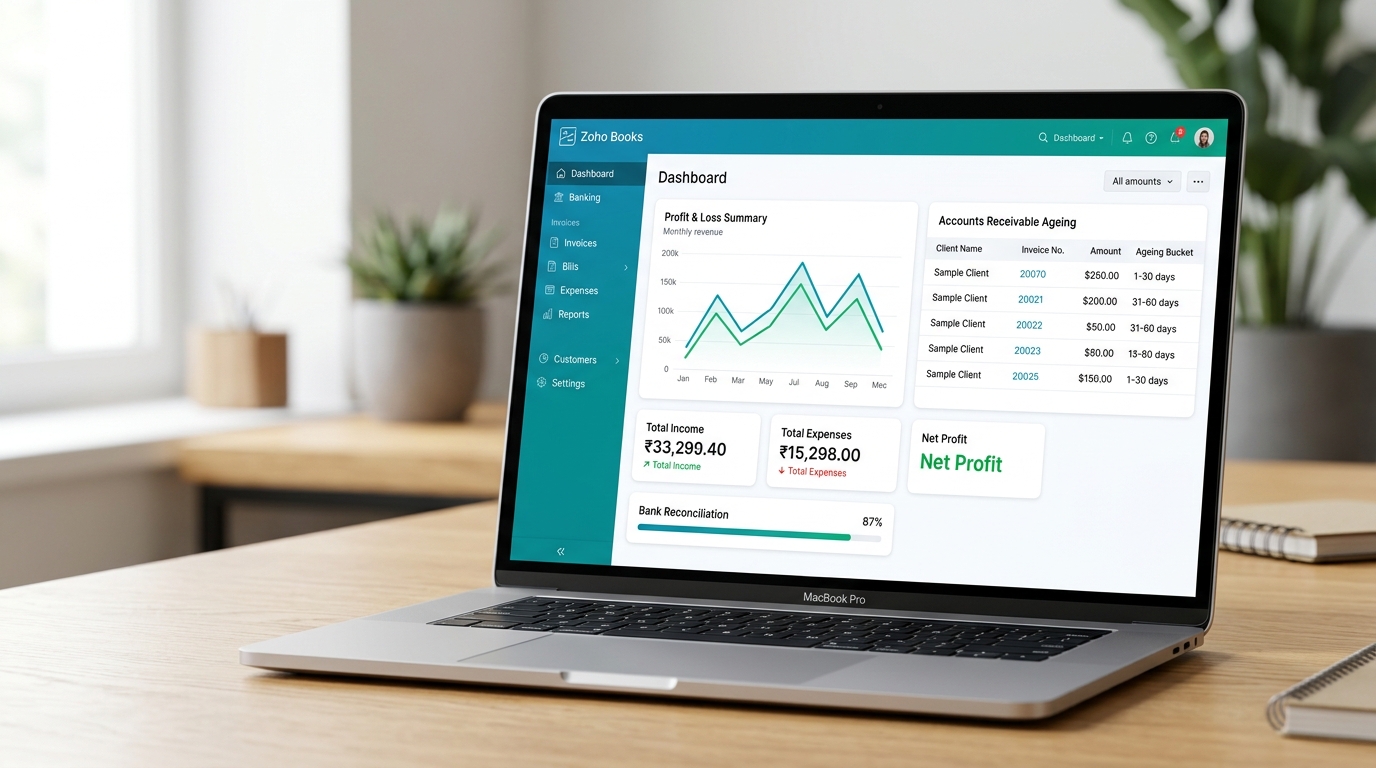
Someone told you to try Zoho Books. Maybe your CA mentioned it. Maybe you looked at the pricing and liked what you saw. Or maybe you already use Zoho CRM and the idea of keeping everything inside one ecosystem made sense. Whatever brought you here, the question sitting in front of you is the same: how does Zoho Books work in practice, and is it actually worth switching to?
This guide gives you a straight answer. Not a feature list from the Zoho marketing page, but a genuine walkthrough of how the platform functions from the day you connect your bank account through to month end close. By the time you finish reading, you will know what Zoho Books handles well, where you will need to be hands-on, and when it makes sense to bring in professional support.
What Is Zoho Books and How Does It Fit Into Your Business?
Zoho Books is a cloud-based double-entry accounting software designed for small and medium businesses. It manages invoicing, bank reconciliation, expense tracking, GST compliance, and financial reporting inside one platform. Because it is part of the Zoho Finance suite, it connects natively with Zoho Inventory, Zoho Subscriptions, Zoho Expense, and Zoho CRM without requiring any third-party sync tools.
The core shift that cloud accounting makes to your finance process is straightforward: your data lives online, not on one machine in one office. Zoho Books accounting software stores every invoice, bill, bank transaction, and report on Zoho's servers. You access it from any browser. Your accountant logs into the same live data from their own device. There is no backup file to email, no version mismatch, and no waiting for someone to send you a spreadsheet before you can see how the business is actually performing.
Where Zoho Books separates itself from competitors is its native ecosystem. A business using Zoho CRM already has client records, deals, and contact details stored in Zoho. When a deal closes in CRM, an invoice can generate automatically in Zoho Books without anyone manually re-entering client details. A business with a warehouse can manage stock in Zoho Inventory and have the cost of goods sold update in Zoho Books immediately when items are despatched. These connections work because all Zoho Finance suite applications share the same underlying database.
Zoho Books offers multiple pricing tiers. The Free plan covers businesses with annual revenue under INR 25 lakh. Standard, Professional, Premium, and Elite plans progressively add features including inventory management, purchase orders, custom user roles, and advanced reporting. For businesses scaling quickly, working with dedicated outsourced Zoho Books accounting services ensures the platform is configured for your specific business model from the start, rather than outgrowing a plan that was set up in a hurry.
How Does Zoho Books Handle Day-to-Day Bookkeeping?
Zoho Books bookkeeping is built around automated bank feeds and Transaction Rules. The system imports your bank transactions daily into a review dashboard. You categorise, match, or create new records for each item rather than typing transactions from scratch. As the system learns your recurring payments, it applies rules automatically so the same transactions require progressively less review over time.
The traditional bookkeeping process involves sitting down with a pile of bank statements and typing every transaction into a ledger. Zoho Books replaces that entirely. Open the Banking module for the first time and your transactions are already there, pulled directly from your bank. Your job changes from data entry to review and approval, which is considerably faster and less prone to the typing errors that come with manual entry.
Transaction Rules are the main tool for driving efficiency here. If your business pays the same software subscription on the 1st of every month, you create a rule that tells Zoho Books to categorise any payment from that vendor to your software expense account automatically. The next time the subscription clears your bank, it moves straight into your ledger without asking for confirmation. For a business processing 200 transactions a month, this kind of automation turns what would be several hours of bookkeeping into a short daily review session.
The risk with automated rules is that a poorly built rule replicates the same error every single month. A rule that maps an expense to the wrong account will quietly misstate your profit and loss until someone catches it in a report. That is why the initial setup of your chart of accounts and rules matters far more than most business owners expect. For businesses wanting clean records from day one, engaging outsourced accounting services to configure Zoho Books properly is a smarter investment than spending months fixing a chart of accounts set up incorrectly.
How Do Bank Feeds and Bank Reconciliation Work in Zoho Books?
Zoho Books bank reconciliation is an ongoing process driven by bank feeds. Once your bank account is connected, transactions import automatically each day into a review queue. The system suggests matches between imported bank entries and your recorded invoices or bills. At month end, you complete a formal reconciliation to confirm the Zoho Books closing balance matches your actual bank statement exactly.
The bank feed is the engine behind Zoho Books bank reconciliation. Once you connect your bank securely, transactions arrive in the Banking module every 24 hours. There is no need to download CSV files from your online banking portal or upload them manually. The data lands in Zoho Books ready for your review.
Inside the banking dashboard, Zoho Books sorts imported transactions and scans for matching records. If a client has paid an invoice, the system detects the incoming deposit, reads the amount and date, and flags it as a likely match to the outstanding invoice. You confirm with one click. Zoho Books marks the invoice as paid and reconciles the bank entry at the same time. This prevents the common accounting error of recording income twice.
Because you can match transactions daily or weekly, the formal month end reconciliation becomes a quick verification rather than a multi-hour exercise. You enter the closing balance from your bank statement, and the system confirms that all transactions in Zoho Books are accounted for. For high-volume businesses managing multiple accounts, professional account reconciliation services handle this daily matching work so the books are never more than 24 hours out of balance.
How Does Zoho Books Invoicing Work and What Does It Automate?
Zoho Books invoicing lets you create branded invoices, embed payment links from Stripe, PayPal, or Razorpay, set up recurring billing, and track invoice status in real time. When a client pays through an embedded payment link, Zoho Books records the payment and marks the invoice as settled automatically. Automated overdue reminders send on the schedule you define without any manual follow-up.
The invoicing module in Zoho Books is where many business owners notice the clearest difference from a manual process. Every invoice you send carries a live status you can see at a glance: Draft, Sent, Viewed, Partially Paid, or Overdue. You know when a client has opened the invoice email. If payment has not arrived by the due date, Zoho Books sends a reminder automatically on the schedule you set, without you writing a single follow-up message.
The quote-to-cash workflow removes a lot of friction from winning new business. A client asks for a price. You build the estimate in Zoho Books and send it with a click. The client reviews and approves it online. One more click converts the accepted estimate into a draft invoice, which you review and send. The whole process stays inside one platform without Word documents, PDF attachments, or manually copying client details from an email into a template.
Recurring invoices handle retainer clients without any ongoing manual input. Set the billing amount, frequency, and start date once. Zoho Books generates and sends the invoice on schedule every month. If you connect a payment gateway and get client authorisation, the platform can auto-charge the card on the invoice date. For businesses dealing with late-paying clients, our guide on accounts receivable outsourcing explains how a dedicated team manages your debtor ledger alongside automated follow-up tools.
How Does Zoho Books Handle GST and Tax Compliance?
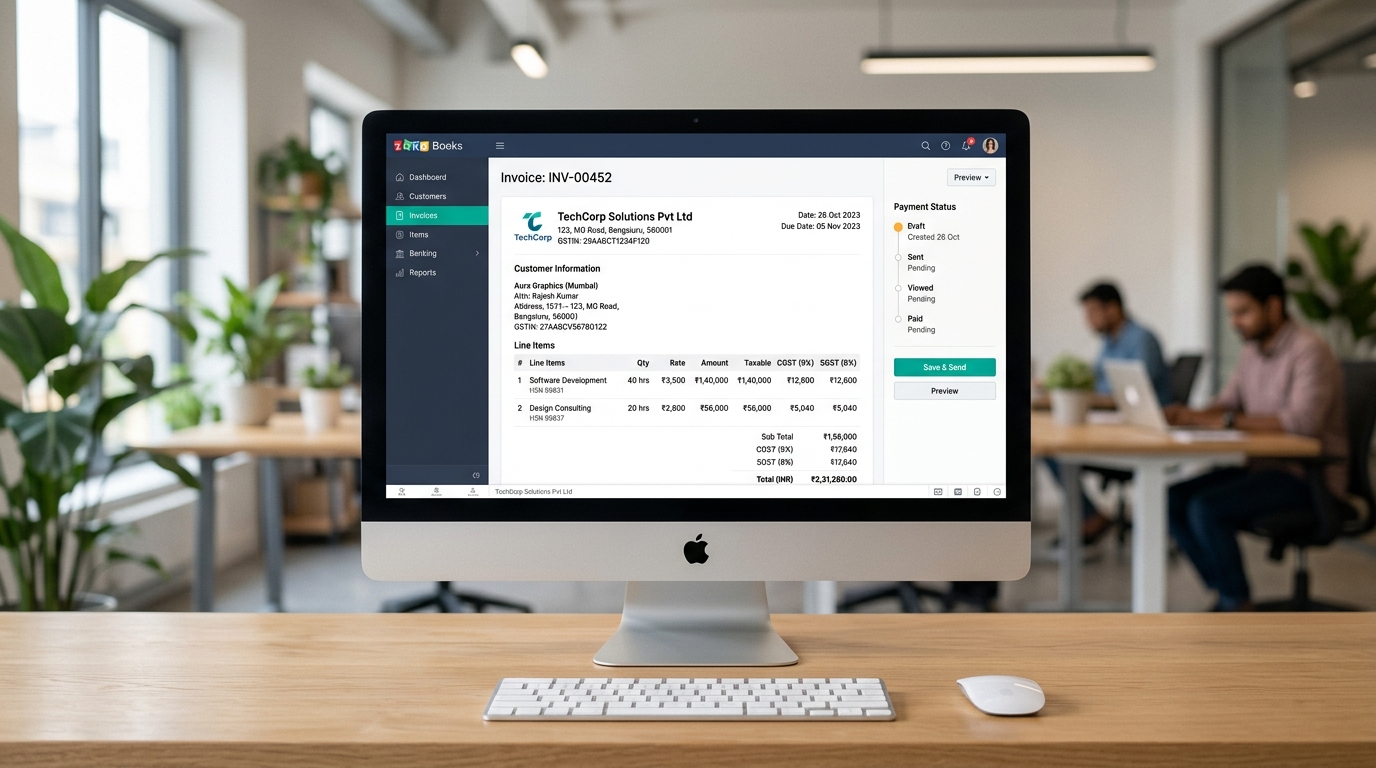
Zoho Books has built-in GST compliance for Indian businesses. It calculates CGST, SGST, and IGST on every invoice and bill based on the HSN or SAC codes you configure. It generates GSTR-1, GSTR-3B, and annual GST return reports directly from your recorded transactions and connects to the GSTN portal for direct filing. Indian businesses do not need separate GST software if they use Zoho Books correctly.
GST compliance is one of the areas where Zoho Books accounting software genuinely outperforms many competitors for Indian businesses. When you create an invoice, you select the GST treatment for each line item. Zoho Books applies the correct tax rate based on the HSN or SAC codes you configured and automatically determines whether the transaction attracts CGST and SGST for intra-state sales, or IGST for inter-state transactions.
At the end of each month, you go to the GST section and pull the GSTR-1 report. Every outward supply for the period is already compiled from your invoices. Pull the GSTR-3B and Zoho Books gives you the summary of tax liability and input tax credit. You review the figures, and if you have connected Zoho Books to the GSTN portal, you file directly from within the platform without logging into a separate government portal or copying figures by hand.
GST errors compound. An incorrect HSN code applied to every invoice over three months creates a mismatch between what you filed and what your counterparties reported, which surfaces as a notice during ITC reconciliation. Getting the setup right from the beginning prevents this. Businesses with complex GST structures across multiple states often work with specialists in financial reporting services to ensure their Zoho Books GST configuration matches their actual supply chain structure.
What Financial Reports Does Zoho Books Generate?
Zoho Books generates over 50 standard financial reports including the Profit and Loss statement, Balance Sheet, Cash Flow Statement, and ageing summaries for both receivables and payables. Every figure is generated in real time from your reconciled transactions and is fully clickable, allowing you to drill down to the underlying records in seconds.
Most business owners have had the experience of asking their accountant how trading is going and waiting several days for an answer. In Zoho Books, that answer is available the moment your bank feed is current. Open the Profit and Loss report, choose your date range, and the figures appear immediately. You do not need to wait for anyone to prepare a month end pack or send you a spreadsheet.
Reporting Tags in Zoho Books work similarly to department or location tracking in other platforms. A retail business operating three stores can tag every transaction to a specific location. Running a profit and loss report then shows the performance of each store side by side inside the same Zoho Books account. This segmentation happens automatically based on the tags applied during data entry, with no additional software or manual exports required.
The drill-down capability is what makes the reports genuinely useful rather than decorative. If your cost of purchases looks unexpectedly high in a given month, you click the total. Zoho Books displays every individual bill that makes up that figure. You identify the anomaly and correct it without leaving the screen. For businesses producing board-level or investor-ready reports, specialists in financial reporting services ensure the outputs meet the standards required at each reporting cycle.
How Does Zoho Books Connect to Other Business Applications?
Zoho Books integrates natively with the entire Zoho Finance suite and connects to hundreds of third-party apps through the Zoho Marketplace. These Zoho Books integrations cover payment gateways, eCommerce platforms, payroll providers, CRM systems, and analytics tools. Each connection pushes data into your ledger automatically, reducing the need to enter the same information across multiple systems.
The primary integration strength of Zoho Books is within its own ecosystem. If your business already uses Zoho CRM, the accounting connection is native and does not require a third-party sync tool. Deals that close in CRM can trigger invoices in Zoho Books automatically. Client payments recorded in Zoho Books update the deal value in CRM. The data moves between applications because they share the same database, not because an external sync job runs every hour and might fail silently.
Beyond the native apps, the third-party Zoho Books integrations cover most business use cases. A business selling through Shopify connects the storefront to Zoho Books via the marketplace. Every sale, refund, and platform fee maps to the correct ledger accounts automatically. The manual task of downloading a weekly Shopify payout report and allocating each line by hand disappears. The same applies to payment processors like Stripe, Razorpay, or PayPal.
Mapping these integrations correctly requires technical accounting knowledge. A misconfigured Shopify integration can create duplicate income records or post platform fees to the wrong account, quietly distorting your profit margins month after month. Businesses with high-volume online sales often work with specialists in eCommerce accounting services to ensure the data flow between their storefronts and Zoho Books is set up and monitored correctly from the outset.
What Does Month End Close Look Like in Zoho Books?
The month end close in Zoho Books involves clearing the bank feed review queue, reconciling all connected bank and credit card accounts, reviewing aged receivables and payables, posting any manual adjusting journals for depreciation or accruals, and publishing the final profit and loss and balance sheet. You then use the Transaction Locking feature to prevent any retrospective changes to the closed period.
Closing the books used to mean late nights and a frantic data entry exercise to catch up with a month's worth of bank transactions. In Zoho Books, because the bank feeds keep records current daily, month end is primarily a verification exercise rather than a catch-up. If the daily matching habit has been maintained, the workload on the last day of the month is minimal.
The practical steps follow a clear order. First, clear any remaining items in the banking review queue. Second, reconcile each bank account by confirming the Zoho Books closing balance matches the actual bank statement. Third, review the Aged Receivables report to check which invoices are genuinely outstanding and which may have been paid but not yet matched. Check the Aged Payables report to confirm all supplier bills are recorded. Post any necessary manual journals for depreciation, prepayments, or accruals. Then generate the reports, review the figures, and publish them.
The Transaction Locking feature in Zoho Books protects your historical data once a period is closed. You set a lock date with a password, and nobody can add, edit, or delete transactions before that date without entering the password. This prevents someone accidentally posting a bill to the wrong month and distorting a period that has already been reported. For businesses focused on annual compliance, engaging year-end accounting services ensures this closing process aligns with tax filing deadlines and audit requirements.
When Should a Business Bring in Professional Zoho Books Support?
A business needs professional Zoho Books support when bookkeeping takes more than five to eight hours per week, when bank reconciliation runs consistently behind, when GST filings are late or inaccurate, or when financial reports contain unexplained differences. Businesses adding payroll, multi-location inventory, or multi-state GST obligations typically reach this point faster than they expect.
The clean interface of Zoho Books creates a common misunderstanding. Because it is easy to categorise a transaction, business owners assume the underlying accounting is correct. It is easy to use at the surface level. It is considerably harder to maintain accurate, GST-compliant financial records as transaction volume, team size, and business complexity grow together.
A chart of accounts set up using the default template produces reports that look populated but tell you little about what is actually happening in your business. Bank rules configured too broadly miscategorise expenses silently, month after month. An eCommerce integration that posts Shopify payouts to a single revenue account loses the detail of returns, discounts, and platform fees you need to understand your actual margins. None of these problems announce themselves. They show up at tax time, or when a lender asks for financial statements and the numbers do not hold up.
| Area | DIY Zoho Books | Professional Zoho Books Support |
|---|---|---|
| Initial setup | Default chart of accounts, generic rules | Custom COA tailored to your industry, optimised rules from day one |
| Bank reconciliation | Completed when time allows, usually monthly | Reconciled weekly or daily so records stay current |
| GST filing | Self-managed, risk of errors in HSN codes and GSTR figures | Filed on time with reconciliation against purchase register |
| Month end close | Delayed by workload, inconsistent timing | Delivered on a fixed schedule with published reports |
| Error detection | Discovered at year end or during a GST audit | Caught in routine monthly review before they compound |
| Payroll integration | Self-managed, compliance risks absorbed by owner | Managed with statutory deduction tracking and timely filing |
The tipping point for most business owners is somewhere around 80 to 200 transactions per month. Below that number, managing your own books is feasible. Above it, the time cost of doing it yourself consistently exceeds what professional support would cost, and accuracy under pressure becomes a genuine concern. Matching bank transactions late at night after a full week of client work is not the same as a trained bookkeeper doing the same task as their primary job during business hours.
How Cred Books Manages Your Zoho Books Accounting So You Can Focus on Growth
Cred Books provides dedicated outsourced Zoho Books accounting services for businesses across India, Australia, the United Kingdom, the United States, and Canada. Our team works directly inside your existing Zoho Books account, managing daily bank reconciliation, GST filing, payroll processing, month end close, and financial reporting so your books are accurate, current, and always ready when you need them.
Cred Books runs your Zoho Books account the way it should be run. We start by reviewing your existing setup: the chart of accounts, the bank rules, the GST configuration, and the integrations. If there are problems, we document them and fix them systematically. If you are starting fresh, we build the setup correctly from the beginning so the platform works for your business rather than against it.
You keep full ownership and complete visibility of your Zoho Books account. We handle the execution. Your books are reconciled, your GST is filed on time, your payroll entries are correctly posted, and your month end reports arrive on the same date every single month. If you also need payroll managed end to end, our payroll processing services handle the full pay cycle with correct statutory deduction tracking and timely remittance.
Many clients come to us after managing their own Zoho Books for a year, only to find their reports have been quietly giving them the wrong picture. Miscategorised transactions, unreconciled bank accounts, and GST figures that do not match the GSTN portal are far more common than people expect. We have cleaned these situations up many times. To understand how we structure our engagements, read our guide on how to outsource accounting services. If you are still comparing software options, our breakdown of QuickBooks vs Zoho Books gives you a clear framework for deciding which platform fits your business. Get in touch and we will give you an honest assessment of where your current Zoho Books setup stands.
Conclusion
Understanding how does Zoho Books work is the first step to using it well. The platform automates a large portion of day-to-day bookkeeping, handles GST compliance natively for Indian businesses, and connects to your wider Zoho ecosystem without needing third-party tools. But the quality of your financial records depends entirely on the quality of the setup, the rules, and the review habits behind them. Get the foundation right and Zoho Books gives you accurate, real-time visibility into your business every single day. If you want a professional team to manage that foundation for you, contact us and we will show you exactly what clean books look like.
Frequently Asked Questions
Straightforward answers to the questions business owners ask most often about Zoho Books.
Q1 How does Zoho Books work at a fundamental level?
Zoho Books works by connecting your bank and credit card accounts to its cloud platform using secure bank feeds. Transactions import automatically into the Banking module every day. You match those transactions against the invoices you send and the bills you receive. The software handles double-entry accounting in the background and gives you a real-time profit and loss dashboard without requiring any accounting knowledge.
Q2 Is Zoho Books good for small businesses?
Yes. Zoho Books is built specifically for small and medium businesses. The Free plan covers basic invoicing and expense tracking for businesses with annual revenue under INR 25 lakh. The Standard and Professional plans add advanced inventory, purchase orders, and project billing. Its native connection to the Zoho Finance suite makes it straightforward to scale without switching platforms as the business grows.
Q3 Does Zoho Books handle GST filing automatically?
Zoho Books has built-in GST compliance for Indian businesses. It calculates CGST, SGST, and IGST on every invoice and bill based on the HSN or SAC codes you configure. It generates GSTR-1 and GSTR-3B reports from your recorded transactions and connects to the GSTN portal for direct filing. Indian businesses do not need a separate GST software if they are using Zoho Books correctly.
Q4 How does Zoho Books compare to QuickBooks?
Zoho Books is generally better suited to Indian businesses and those already using other Zoho apps, because of its native GST compliance, GSTN integration, and Zoho ecosystem connectivity. QuickBooks has a larger international accountant network and a more mature app marketplace for non-Indian businesses. For a detailed breakdown, read our comparison of QuickBooks vs Zoho Books to find which platform fits your business.
Q5 When should a business outsource its Zoho Books management?
A business should consider outsourcing Zoho Books management when bookkeeping takes more than five hours a week, when GST filings are consistently late, when bank reconciliation falls weeks behind, or when financial reports contain unexplained differences. Cred Books provides outsourced Zoho Books accounting services and works directly inside your existing account, managing daily reconciliation, GST filing, payroll, and month end close reliably every month.