
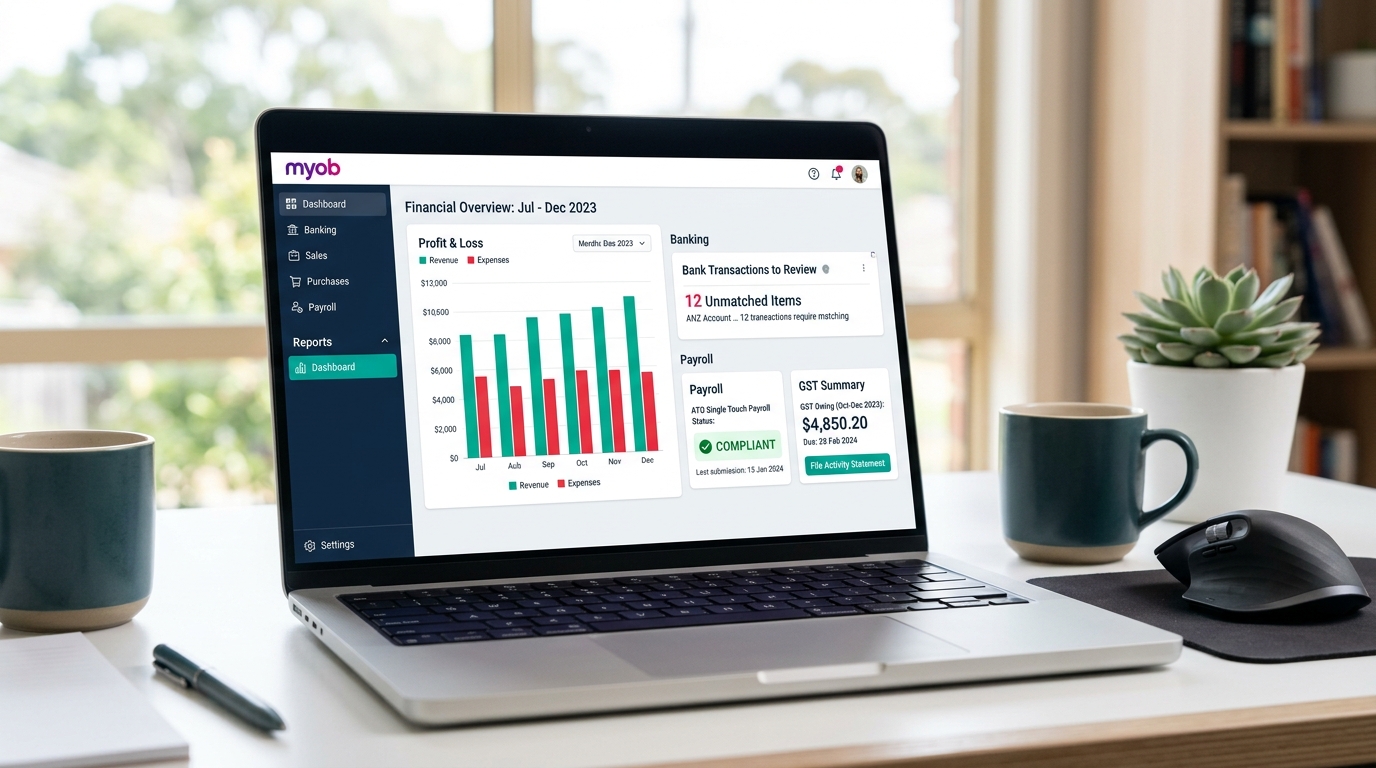
You keep hearing MYOB come up. Your accountant uses it. A fellow business owner swears by it. The pricing looks fair. But before you commit to switching or setting it up from scratch, you want to understand the actual mechanics: how does MYOB accounting work when you sit down with it on a Monday morning and need to know whether your business made money last week?
This guide answers that question without padding. We will walk through the full workflow, from the moment bank transactions land in MYOB through to a closed and locked month end. We will cover the invoicing process, how payroll handles Australian compliance requirements, what your BAS preparation looks like, and at which point it makes sense to hand the management over to a professional rather than doing it yourself. By the end, you will have a clear and honest picture of what the platform does and what it still needs from you.
What Is MYOB Business and Who Is It Built For?
MYOB Business is a cloud-based double-entry accounting platform built specifically for Australian and New Zealand businesses. It handles day-to-day bookkeeping through automated bank feeds, manages invoicing and purchases, runs fully compliant payroll with integrated Single Touch Payroll reporting, and prepares Business Activity Statement figures directly from your transaction history. It is available in three main tiers: Lite, Pro, and AccountRight, each designed for a different stage of business growth.
MYOB has been part of the Australian business landscape for decades. What changed significantly in recent years is the shift to the cloud. MYOB Business is now entirely browser-based. Your data lives on MYOB's servers, your accountant can log in from their own office to review your records in real time, and you can check your cash position from your phone on the way to a client meeting. The old workflow of emailing a company file and waiting for it to come back is gone.
What MYOB does particularly well compared to global platforms is its native compliance depth for the Australian market. Single Touch Payroll Phase 2, superannuation guarantee calculations, award rate updates, BAS lodgement directly to the ATO, and payroll tax thresholds for each state are built into the core of the platform. They are not add-ons you configure separately. For a business operating in Australia with employees, this matters more than most feature comparisons will tell you.
Choosing the right plan from the outset saves a migration headache later. Lite suits sole traders with basic invoicing needs. Pro covers most growing businesses with staff and inventory. AccountRight handles complex job costing, multi-currency transactions, and advanced reporting for larger operations. For businesses that want expert advice on the right configuration before they start, engaging outsourced accounting services that specialise in MYOB means the setup reflects your actual business structure, not the default template.
How Does MYOB Handle Day-to-Day Bookkeeping?
MYOB bookkeeping runs on Allocation Rules and automated bank feeds. Once your bank account is connected, MYOB imports your transactions daily and presents them in a review queue. For recurring transactions, Allocation Rules assign the correct expense or income category automatically. You confirm or adjust each item rather than typing it from scratch. The platform records the double-entry accounting behind every allocation without requiring you to think in debits and credits.
Here is the practical reality of daily bookkeeping in MYOB. You open the Banking tab. Yesterday's transactions are already there, pulled from your bank overnight. Your regular supplier payments, card transactions, and incoming deposits are listed, waiting to be reviewed. For transactions MYOB has seen before, the Allocation Rule you set up previously has already suggested a category. You scan, confirm the correct ones with a click, and move on.
Allocation Rules are the engine that drives this efficiency. Say you pay your office rent by direct debit on the 1st of every month. You set a rule once: any transaction from that landlord for that amount goes to your Rent Expense account. From that month forward, MYOB handles the posting without asking. The same applies to software subscriptions, utility bills, insurance premiums, and any other predictable recurring cost. For a business with 150 regular monthly transactions, most of the categorisation work disappears after the first month of using rules correctly.
The risk that business owners underestimate is the consequence of a poorly built rule. A rule mapped to the wrong account category will mispost the same transaction every single month, and it will not raise any alerts. Your reports will look complete while quietly misstating your position. The chart of accounts setup and the rules you write against it are the foundation of MYOB's accuracy. For businesses that want that foundation built correctly from day one, working with specialists who provide outsourced accounting services is a far better investment than spending months correcting self-managed errors.
How Do Bank Feeds and Bank Reconciliation Work in MYOB?
Bank reconciliation in MYOB is driven by real-time bank feeds rather than monthly statement uploads. Transactions flow from your bank into MYOB each day and sit in a review queue. MYOB identifies possible matches between incoming deposits and your open invoices, or between outgoing payments and recorded bills. You confirm each match. At month end, you run a formal reconciliation to verify the MYOB closing balance matches your actual bank statement to the cent.
The bank feed connection is the core of how MYOB bank reconciliation stays current throughout the month rather than becoming a stressful end-of-month activity. Once you authorise the secure connection between your bank and MYOB, transactions arrive automatically. There are no CSV downloads, no manual imports, and no risk of an incorrectly formatted file causing errors. The data is clean, accurate, and arrives on a daily schedule.
When you review the feed, MYOB does a significant amount of the matching work for you. If a client payment arrives in your account that matches the exact amount and approximate date of an open invoice, MYOB flags it with a "possible match" indicator. You click to confirm. That action simultaneously records the payment against the invoice, marks the invoice as settled, and reconciles the bank transaction. Three accounting tasks completed in one click.
Because this matching process runs throughout the month rather than all at once at the end, your books stay current. When you need to check your actual cash position or run a profit and loss on a Wednesday afternoon before a meeting, the figures reflect reality rather than lagging two weeks behind. For businesses processing high transaction volumes across multiple accounts, professional account reconciliation services ensure this matching discipline is maintained daily so the formal month end check is always a quick verification rather than a multi-hour catch-up exercise.
How Does MYOB Invoicing Help You Get Paid Faster?
MYOB invoicing lets you create branded invoices from your browser or mobile app, embed online payment options including credit card, BPAY, and direct debit, track invoice status in real time, and automate overdue payment reminders. When a client pays through an embedded payment link, MYOB records the receipt and marks the invoice as paid automatically. The quote-to-invoice conversion happens in a single step once a client accepts your estimate.
Most business owners who switch to MYOB notice the invoicing module almost immediately, because the visibility it provides is different from sending PDF invoices by email. Every invoice you issue carries a live status inside your MYOB account: Sent, Viewed, Overdue, Paid. You know the moment a client has opened the email containing their invoice. This single piece of information changes the nature of payment follow-up conversations significantly.
The built-in payment options remove a lot of the friction that delays payment. Instead of a client receiving an invoice with your bank details typed at the bottom, they receive a document with a "Pay Now" button. They click, enter their card or bank details, and the payment settles. MYOB records the receipt automatically and marks the invoice as paid. No manual matching required. No phone calls to confirm the transfer went through. The cash arrives and the accounting updates on its own.
Recurring billing covers retainer clients and subscription-style arrangements without any ongoing manual work. You configure the amount, frequency, and start date once. MYOB generates and distributes the invoice on schedule every month. For businesses carrying overdue debtors, automated reminder sequences send politely worded follow-up messages at the intervals you define, without you writing a single email. If you need more active credit management beyond what the software automates, our guide on accounts receivable outsourcing explains how a dedicated team manages your debtor ledger alongside the platform tools.
How Does MYOB Payroll Handle Compliance and STP Reporting?
MYOB payroll is built for Australian compliance. It calculates PAYG withholding using current ATO tax tables, tracks annual leave and personal leave entitlements, manages superannuation guarantee contributions, and files Single Touch Payroll Phase 2 data directly to the ATO at the end of every pay run. When the financial year ends, employees access their income statements through myGov rather than receiving a physical group certificate. MYOB handles the year-end finalisation process within the platform.
Payroll is the area where Australian businesses face the most demanding compliance requirements, and it is also the area where errors carry the most serious consequences. Underpaying super, getting PAYG withholding wrong, or failing to comply with modern award conditions are not administrative inconveniences. They generate ATO notices, Fair Work claims, and penalty interest. MYOB payroll is built to prevent these outcomes rather than simply process payments.
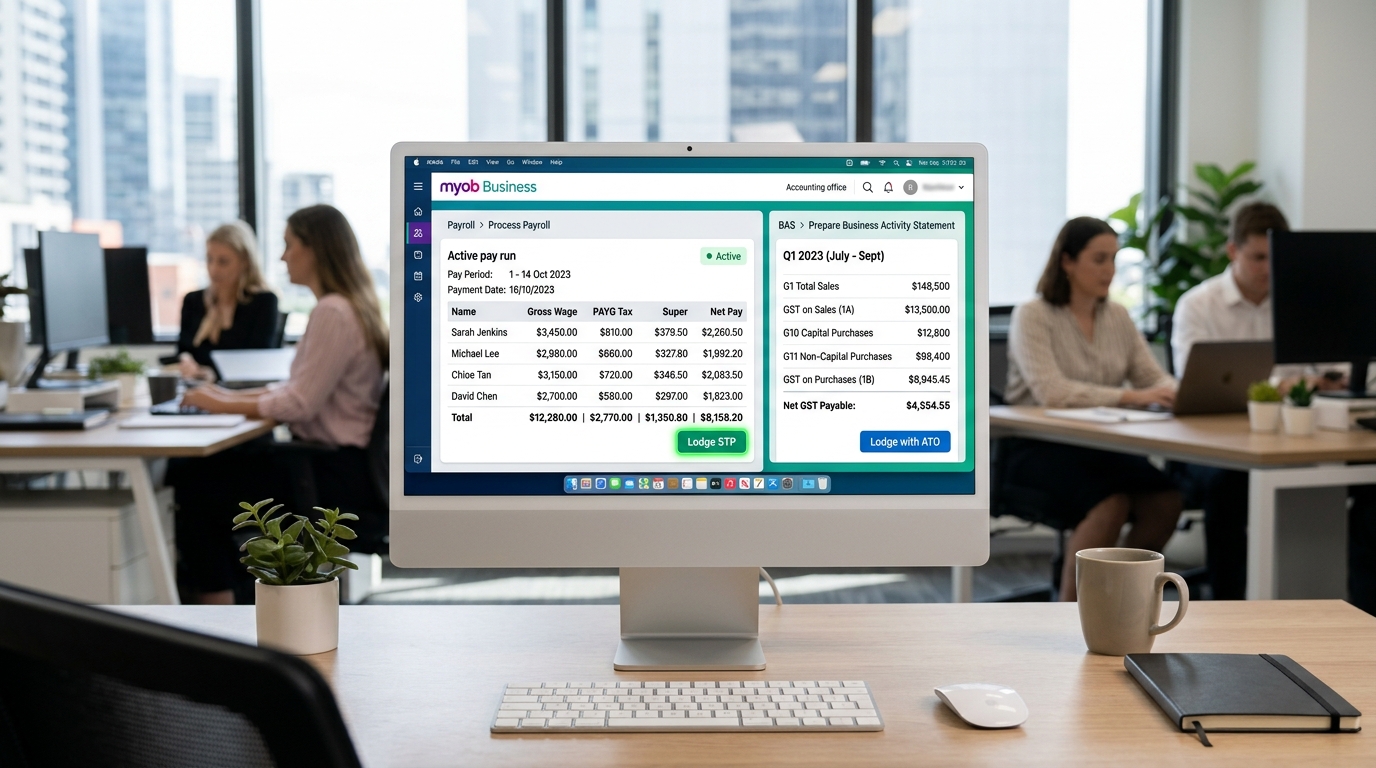
When you set up an employee in MYOB, you enter their tax file number and tax declaration details. From that point, MYOB calculates the correct PAYG withholding on every pay run using the ATO's current tax tables, which MYOB updates automatically when rates change. Leave balances accrue in the background based on the award or agreement settings you configure. Super contributions calculate at the current guarantee rate and export to your clearing house for payment.
Single Touch Payroll Phase 2 reporting is integrated into the end of every pay run. After you review and approve the payroll figures, MYOB files the disaggregated income type data directly with the ATO before the employee is paid. This means your payroll compliance is current and on record with the ATO after every single pay cycle, not just at year end. For businesses where payroll involves complex modern awards, enterprise agreements, or multiple employment types, professional payroll processing services ensure the underlying configuration is correct before MYOB handles the automated reporting.
How Does MYOB Prepare Your BAS and Tax Reports?
MYOB prepares your Business Activity Statement figures automatically from the GST codes applied to every transaction throughout the quarter. The BAS reporting section collates your total sales, GST collected, capital purchases, and GST credits into the correct BAS labels. You review the populated figures, make any required adjustments, and lodge directly to the ATO from within MYOB without logging into the ATO Business Portal. This process takes minutes once your transaction coding is clean.
BAS preparation is one of the clearest examples of how maintaining accurate records throughout the quarter changes the nature of compliance obligations. Business owners who categorise transactions consistently in MYOB arrive at BAS time with their figures already compiled. Those who let the categorisation slip for two months then spend two days before the due date reconciling a backlog and hoping the numbers are right.
Every transaction you enter in MYOB carries a tax code. A standard taxable sale uses the GST code. A GST-free supply uses FRE. Capital purchases use CAP. When you post any of these, MYOB separates the GST component from the base amount and posts them to the appropriate accounts. At the end of the quarter, the BAS report pulls the totals from these accounts and populates the correct BAS labels automatically. The figure in Label 1A is the sum of GST you collected. The figure in Label 1B is the sum of GST credits you can claim. MYOB does the arithmetic.
For businesses with complex GST situations such as mixed supplies, property transactions, or financial services inputs, getting the tax codes right requires genuine accounting knowledge. A wrong tax code on a regular supplier invoice compounds across twelve months and creates a BAS mismatch that takes considerable time to unpick. Specialists who provide financial reporting services ensure your MYOB transaction coding is accurate before it reaches the BAS, rather than discovering errors during a compliance review.
What Financial Reports Does MYOB Generate?
MYOB generates comprehensive financial reports in real time directly from your reconciled transaction data. The standard report suite includes a Profit and Loss statement, Balance Sheet, Cash Flow report, aged receivables and payables summaries, and detailed GST and BAS reports. Reports update the moment new transactions are recorded and are fully drillable, meaning you can click on any figure to see the individual transactions that make up that total.
The practical value of MYOB's reporting is that you do not have to wait for your accountant to prepare a spreadsheet to understand how the business is trading. Open the Profit and Loss report on a Thursday afternoon and you see exactly where your revenue and expenses stand, provided your bank feed is current and your transactions are categorised. This real-time visibility is what cloud accounting was designed to deliver, and MYOB delivers it effectively when the bookkeeping is maintained properly.
The Jobs tracking feature adds a layer of granularity that is particularly useful for trades businesses, project-based consultancies, and construction companies. When you assign income and expenses to specific Jobs in MYOB, you can run a profit and loss report for a single project. You see exactly what the job earned, what it cost, and what margin it delivered, without manually pulling figures from multiple places. This project-level visibility is far more useful for pricing future work than looking at company-wide averages alone.
For businesses that need to produce board packs, investor reports, or management accounts beyond what MYOB's standard reports provide, the data in the platform serves as the clean, reconciled source. Specialists in financial reporting services take the verified MYOB data and present it in the structured formats that lenders, investors, or board members need.
How Does MYOB Connect to Other Business Tools?
MYOB connects to a range of third-party applications through the MYOB App Marketplace. These integrations cover point-of-sale systems, eCommerce platforms, payroll add-ons, receipt scanning apps, and inventory management tools. Each integration pushes data directly into the relevant section of MYOB, removing the need to manually re-enter operational data from other systems into your accounting records.
MYOB's integration approach is practical rather than exhaustive. Rather than trying to build every possible business tool itself, MYOB provides a stable accounting and payroll core and connects to specialist platforms that handle specific operational needs. Here are the most commonly used integrations businesses set up:
- Point of sale (Lightspeed, Square): Daily sales totals, GST breakdown, and payment method splits sync automatically, removing the need to manually enter the day's Z-read into MYOB.
- Receipt scanning (Dext, Hubdoc): Staff photograph receipts on their phones, the app extracts supplier name, date, and amount, and pushes a draft bill into MYOB with the image attached as an audit trail.
- eCommerce (Shopify, WooCommerce): Daily sales, platform fees, and refunds flow into the correct ledger accounts automatically, eliminating the weekly export-and-import routine.
- Payment processing (Stripe, PayPal, BPAY): Payments match against open invoices and close them automatically, keeping your receivables ledger accurate without manual chasing.
Getting the account mapping right for these integrations requires technical accounting knowledge. A misconfigured Shopify connection can post platform fees and sales proceeds to the same revenue account, making it impossible to see your actual margin. Businesses running complex online sales operations often work with specialists in eCommerce accounting services to ensure the data from each channel maps to the correct accounts in MYOB from the outset.
What Does Month End Close Look Like in MYOB?
The month end close in MYOB follows a defined sequence: clear the bank feed review queue, complete the formal bank reconciliation for all accounts, review aged receivables and payables, post any necessary adjusting journals for depreciation or accruals, and generate the final profit and loss and balance sheet. You then use the Lock Periods feature to prevent any changes to transactions in the closed month, preserving the integrity of your lodged BAS figures and published reports.
Month end in MYOB is a quality check rather than a data entry event, provided the daily and weekly bookkeeping habits have been maintained throughout the month. If the bank feed has been reviewed regularly and transactions have been categorised promptly, the bulk of the work is already done before the last day of the month arrives. The close becomes a verification process rather than a scramble. The steps follow a clear order:
- Clear the bank feed queue: Every transaction for the period is categorised and reviewed before moving on.
- Complete the bank reconciliation: Confirm the MYOB closing balance matches your actual bank statement to the cent for each account.
- Review aged receivables: Check which invoices are genuinely outstanding and which may have been paid but not yet matched in the system.
- Review aged payables: Confirm all supplier bills are recorded and accounted for in the ledger before closing.
- Post adjusting journals: Enter depreciation, prepaid expenses, and accruals after the reconciliation is confirmed, not before.
- Publish reports and lock the period: Use Lock Periods to prevent anyone from editing, adding, or deleting transactions in the closed month.
For businesses seeking clean and audit-ready books at year end, engaging year-end accounting services ensures every period is properly closed and prepared for your tax accountant.
When Should You Outsource Your MYOB Bookkeeping?
A business should seek professional MYOB support when bookkeeping takes more than five hours a week, when BAS quarters feel rushed, when payroll compliance creates uncertainty, or when monthly financial reports are consistently late or inaccurate. As business complexity grows, the gap between what a business owner can manage correctly and what the business actually requires tends to widen faster than expected.
MYOB's clean interface is one of its genuine strengths, and it is also the source of a common misjudgement. Because it is straightforward to click through bank transactions and confirm allocations, many business owners conclude that the bookkeeping is under control. The interface being easy to use and the accounting being accurate are two different things. One you can see. The other only becomes apparent when someone who knows what they are looking at reviews the underlying records.
The problems that accumulate in self-managed MYOB files follow predictable patterns. Tax codes applied inconsistently across similar transactions create BAS figures that do not match the ATO's records of what your trading partners reported. Payroll set up without a proper review of applicable award rates generates underpayment liabilities that compound quietly for months. Bank accounts left unreconciled for a quarter mean the profit and loss figure is a rough estimate rather than a reliable number you can make decisions from. These issues rarely announce themselves in the moment. They surface at BAS time, year end, or when a bank asks for financial statements.
| Area | DIY MYOB Accounting | Professional MYOB Support |
|---|---|---|
| Initial setup | Default chart of accounts, generic allocation rules | Industry-specific chart of accounts, precise rules from day one |
| Bank reconciliation | Completed when time allows, often monthly or quarterly | Matched daily or weekly so books are always current |
| Payroll compliance | Self-managed, compliance risk absorbed by the owner | Professionally configured, STP Phase 2 compliant and accurate |
| BAS preparation | Rushed before due date, risk of incorrect tax codes | Prepared from clean data, reviewed before lodgement |
| Month end close | Often delayed, reports generated inconsistently | Delivered on a fixed date with locked periods and published reports |
| Error detection | Discovered at year end or during an ATO audit | Identified during routine monthly review before they compound |
The tipping point tends to arrive when a business reaches somewhere between 100 and 200 transactions per month, or when the number of employees grows beyond three or four. At that volume, the time a business owner spends on bookkeeping starts to cost more in lost productive hours than the cost of delegating it to someone who does this as their core job.
How Cred Books Manages Your MYOB Accounting So You Can Focus on Growth
Cred Books provides dedicated outsourced MYOB accounting services for businesses across Australia, the United Kingdom, the United States, Canada, and India. Our team works directly inside your existing MYOB file, managing daily bank reconciliation, payroll processing, BAS preparation, month end close, and financial reporting on a fixed and reliable schedule every month.
When businesses come to Cred Books for MYOB support, the first thing we do is a thorough review of the existing file. We check the chart of accounts for logical structure, review the allocation rules for accuracy, examine the payroll setup against applicable award and STP requirements, and check each bank account's reconciliation history. In most cases, we find a combination of small errors that have compounded over time. We document every finding, fix the issues systematically, and put a process in place so the same problems do not reappear.
You retain complete ownership and full visibility of your MYOB account throughout. We handle the execution. Your bank accounts are reconciled to the current date. Your payroll is processed correctly and filed to the ATO on time. Your BAS figures are prepared from clean data and lodged before the due date. Your month end reports arrive on the same date every month. If you also need broader financial management support, our payroll processing services and account reconciliation services handle those workflows alongside your MYOB file management.
Many businesses find us after a year of self-managed MYOB, only to find their reports have been quietly giving them the wrong picture. Miscategorised transactions, unreconciled bank accounts, and BAS figures that do not match the ATO portal are far more common than people expect. To understand how a professional engagement works in practice, read our guide on how to outsource accounting services. If you are also weighing up software options, our QuickBooks vs Zoho Books comparison gives you a useful framework for thinking through software decisions. Contact us and we will give you an honest assessment of your current MYOB file and what needs to be done.
Conclusion
Understanding how does MYOB accounting work is the foundation for using it well. The platform automates the most time-consuming parts of bookkeeping through bank feeds and allocation rules, handles payroll compliance natively with STP Phase 2 integration, prepares your BAS from correctly coded transactions, and delivers real-time financial reports when your records are current. What it cannot do is correct errors in the underlying setup or maintain bookkeeping discipline if that discipline is not applied consistently. Get those things right and MYOB gives you an accurate and reliable view of your business every day of the month. If you want a professional team to manage that setup and maintain that discipline for you, contact us and we will show you what properly managed MYOB books look like.
Frequently Asked Questions
Straightforward answers to the questions business owners ask most often about MYOB accounting.
Q1 How does MYOB accounting work at a fundamental level?
MYOB accounting works by connecting directly to your business bank accounts through secure bank feeds. Every day, your income and expense transactions import into the Banking module automatically. You review these transactions on screen and match them against the invoices you have raised or the bills you have entered. The platform records the double-entry accounting behind every match without you doing any journal calculations. This gives you a live profit and loss position at any point during the month without waiting for a manual reconciliation.
Q2 Is MYOB Business suitable for small businesses in Australia?
Yes. MYOB Business is built specifically for Australian and New Zealand small to medium enterprises. The Lite plan covers invoicing and bank reconciliation for sole traders. The Pro plan adds payroll, inventory, and purchase orders for growing teams. AccountRight handles complex multi-currency, job-costing, and advanced inventory requirements. Businesses with staff benefit most from the integrated payroll, which manages STP Phase 2 reporting to the ATO automatically during every pay run.
Q3 Does MYOB handle BAS preparation automatically?
MYOB prepares your Business Activity Statement figures from the GST codes you apply to every transaction. When you categorise an invoice or bill with the correct tax code, MYOB posts the GST component to the relevant BAS label automatically. At the end of each quarter, you open the BAS section and the figures for G1, 1A, and 1B are already populated. You review, confirm, and lodge directly to the ATO through MYOB without logging into the ATO Business Portal separately.
Q4 How does MYOB payroll handle STP Phase 2?
MYOB payroll is fully compliant with Single Touch Payroll Phase 2. When you finalise each pay run, MYOB disaggregates the payment summary data into the new income types, tax treatments, and salary sacrifice categories required under STP Phase 2. It files this information directly with the ATO at the end of every pay run. Employees access their income statements through myGov as soon as you mark the financial year as finalised in MYOB.
Q5 When should a business outsource their MYOB bookkeeping?
A business should consider outsourcing MYOB bookkeeping when financial administration takes more than five hours a week away from core operations, when BAS quarters are consistently rushed, when payroll compliance feels uncertain, or when month end reports are consistently late or inaccurate. Cred Books provides outsourced MYOB accounting services and works directly inside your existing MYOB file on a fixed, reliable schedule every month.